Know what CLLT means
CLLT stands for Computerised Learner's Licence Testing. In plain language, it means the learner's test is completed on a digital terminal or touch-screen setup instead of the older manual booklet method.
Western Cape Government says the system was launched in the province in 2025 and replaces the traditional manual booklet method. SAnews, reporting RTMC information, says computerised learner testing was introduced in 2021 to reduce fraud, improve efficiency, and support road safety.
That does not make K53 Ready an official testing system. K53 Ready is still a preparation app. Your booking, test, issuing, and final instructions come from your DLTC or official booking route.
The screen changes, but the study areas do not
The South African Government learner-licence page still tells learners to study road signs, motor vehicle controls, and road rules before writing. Western Cape learner guidance also points learners to rules of the road, road markings, road signs, and vehicle controls.
So do not prepare only for a computer. Prepare for the knowledge behind the questions. A touch screen can change how you select answers, but it does not remove the need to understand signs, markings, right-of-way rules, speed and lane rules, and your vehicle controls.
Expect randomised questions and automatic marking
One reason authorities support computerised testing is that it can reduce human interference in the test process. SAnews reports RTMC's explanation that the system randomly selects question papers electronically and automatically marks answers.
For a learner, the practical message is simple: do not bank on a copied question order, a tip from someone who wrote yesterday, or any offer to help you pass. Study properly, because the test is designed to check your own knowledge.
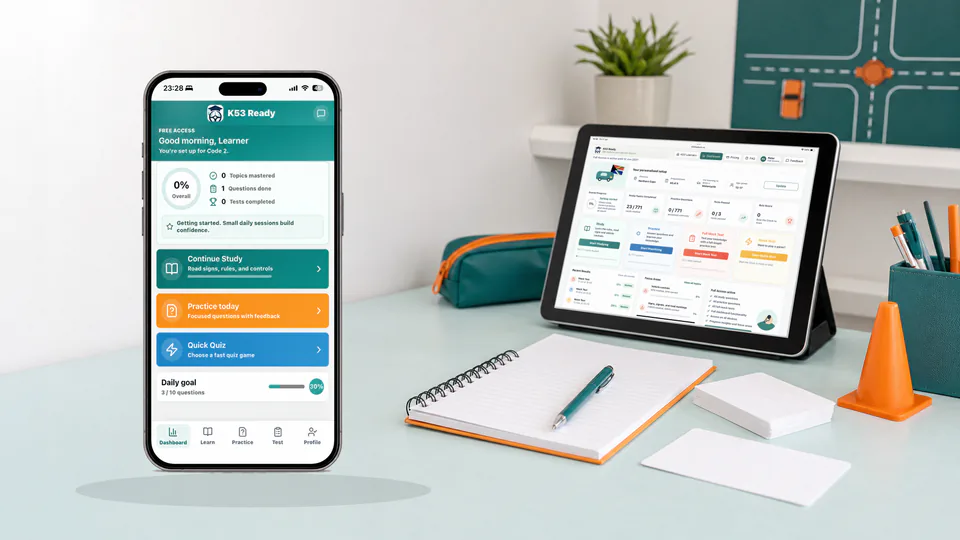
With Full Access, K53 Ready gives you a similar preparation challenge: every mock test draws a fresh mix of road-sign, road-rule, and vehicle-control questions, then shuffles them into a new order. Retaking a mock is therefore about applying what you know, not memorising the previous sequence. K53 Ready is not the DLTC's official CLLT software, but the changing question mix helps you practise staying calm when the next question is unexpected.
Confirm what your own centre uses
Rollout details can differ by area and centre. Before your test, check your own DLTC or official booking route for the practical details:
- whether your test will be computerised or handled another way;
- what time to arrive;
- which documents, receipt, photos, or proof of address to bring;
- whether there are local instructions about queues, cancellations, or rebooking;
- what happens if systems are offline or the centre has a disruption.
Use official instructions over WhatsApp screenshots or old social media posts. If your centre says something specific on your booking day, follow that.
Do one small technology check in your head
If you are not used to digital tests, the screen can feel more stressful than the questions. Try to separate the two problems.
First, slow down and listen to the examiner's instructions. Western Cape rollout information says the computerised setup uses touch-screen kiosks and digital processing, and Western Cape service guidance says tests are conducted through CLLT. Some demonstrations also highlight on-screen instructions for hearing-impaired applicants.
Second, treat each question like normal practice: read it fully, check the picture or wording, choose the best answer, and move on carefully. Do not rush just because the answer is on a screen.
Use K53 Ready to rehearse the test rhythm
A good CLLT preparation plan is not complicated. Use a simple rhythm:
- Study one road-sign group, then answer questions on it.
- Study one rules topic, then test whether you can apply it.
- Revise vehicle controls so you do not leave that section until the end.
- Use mixed practice so your brain gets used to switching between topics.
- Review wrong answers instead of only chasing a higher score.
When you are ready to put the pieces together, K53 Ready's Mock Test gives you a digital practice run:
- With Full Access, each mock draws a fresh mix of road-sign, road-rule, and vehicle-control questions, then shuffles the order.
- The on-screen timer, question counter, answered and unanswered markers, and question navigator help you practise managing a digital test instead of only reading from a book.
- You can move between questions and check for unanswered items before you submit.
- After submission, you see separate results for signs, rules, and controls, then review incorrect answers with explanations.
- Your dashboard keeps recent results and points you back to weaker sections. Quick Quiz gives you a shorter option when you do not have time for a full mock.
K53 Ready does not copy or replace the official CLLT system, and no app can guarantee a pass. It gives you a realistic place to practise the screen habits, mixed-question pressure, timing, and review routine before test day.
Keep it honest
SAnews reports that RTMC warned learners not to pay officials for help passing tests, and that people involved in fraudulent activity can face arrest, criminal charges, and penalties.
The safer route is boring but better: use official sources for final requirements, study the actual K53 topics, practise until your weak areas are clearer, and arrive ready to answer for yourself.